
How to Use Open Price for Custom Quotes
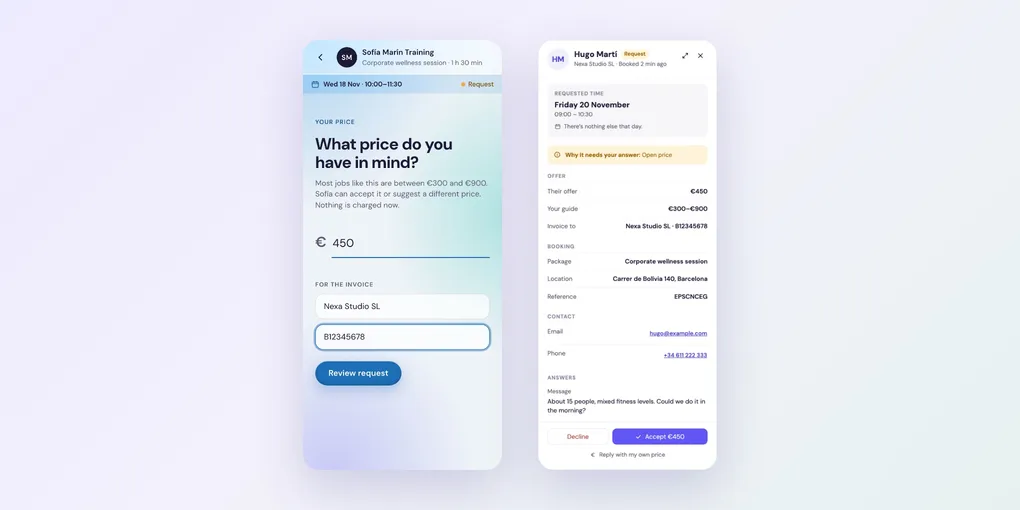
For jobs that are different every time, such as events, corporate sessions or commissions, you don’t need a fixed price. With Open price, clients tell you their budget when they book, and you accept it or reply with your own price. Open price is a Pro feature.
Step 1: Choose Open price
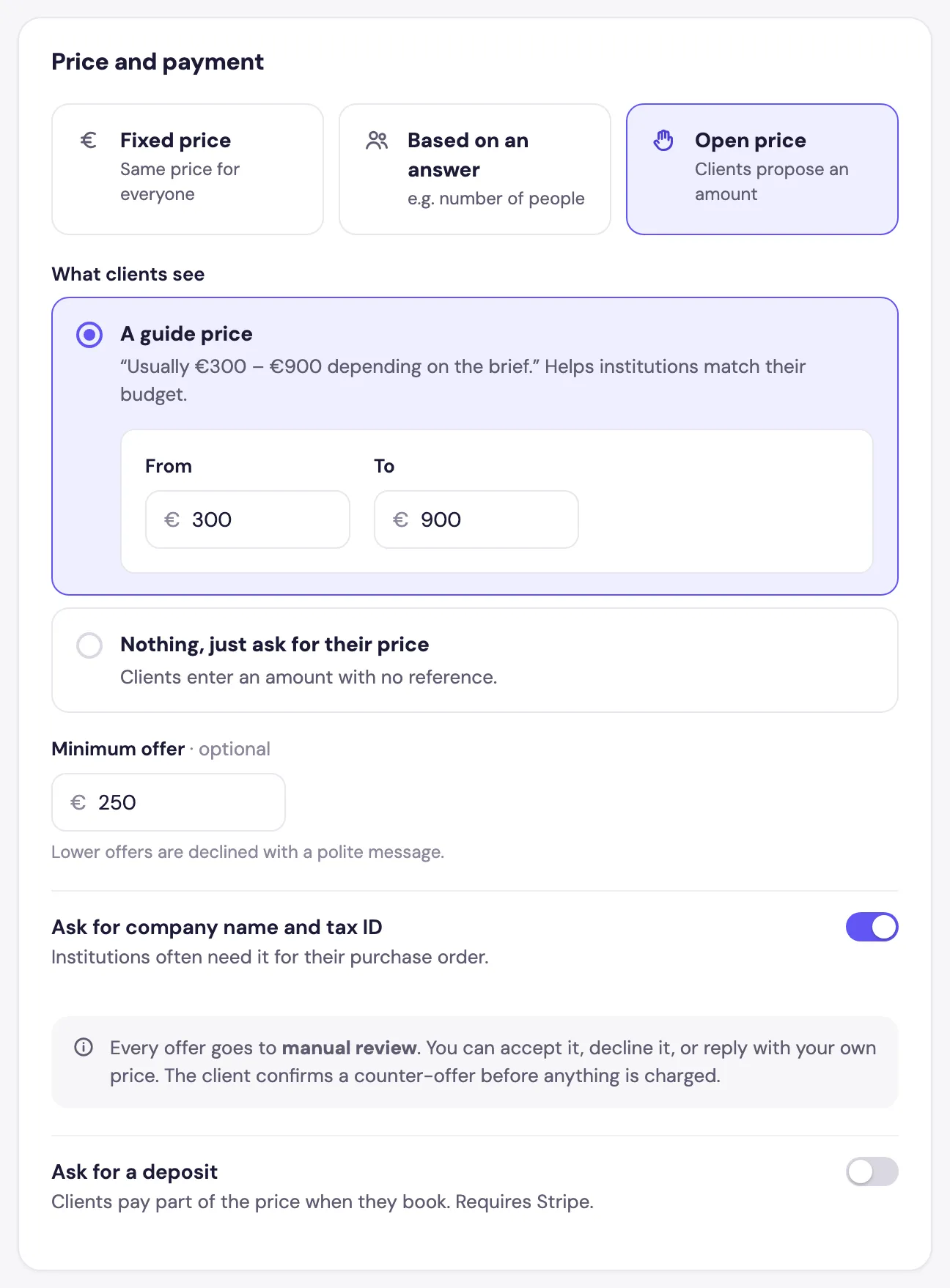
In the package editor’s Details tab, under Price and payment, choose Open price.
Step 2: Choose what clients see
- A guide price: a range, such as Usually €300–€900 depending on the brief. It helps clients match their budget.
- Nothing, just ask for their price: clients enter an amount with no reference.
Step 3: Set a minimum and invoice details (optional)
- Minimum offer: lower offers are declined with a polite message.
- Ask for company name and tax ID: useful when companies need it for their purchase order.
Every offer goes to manual review, whatever the confirmation setting.
What your clients see
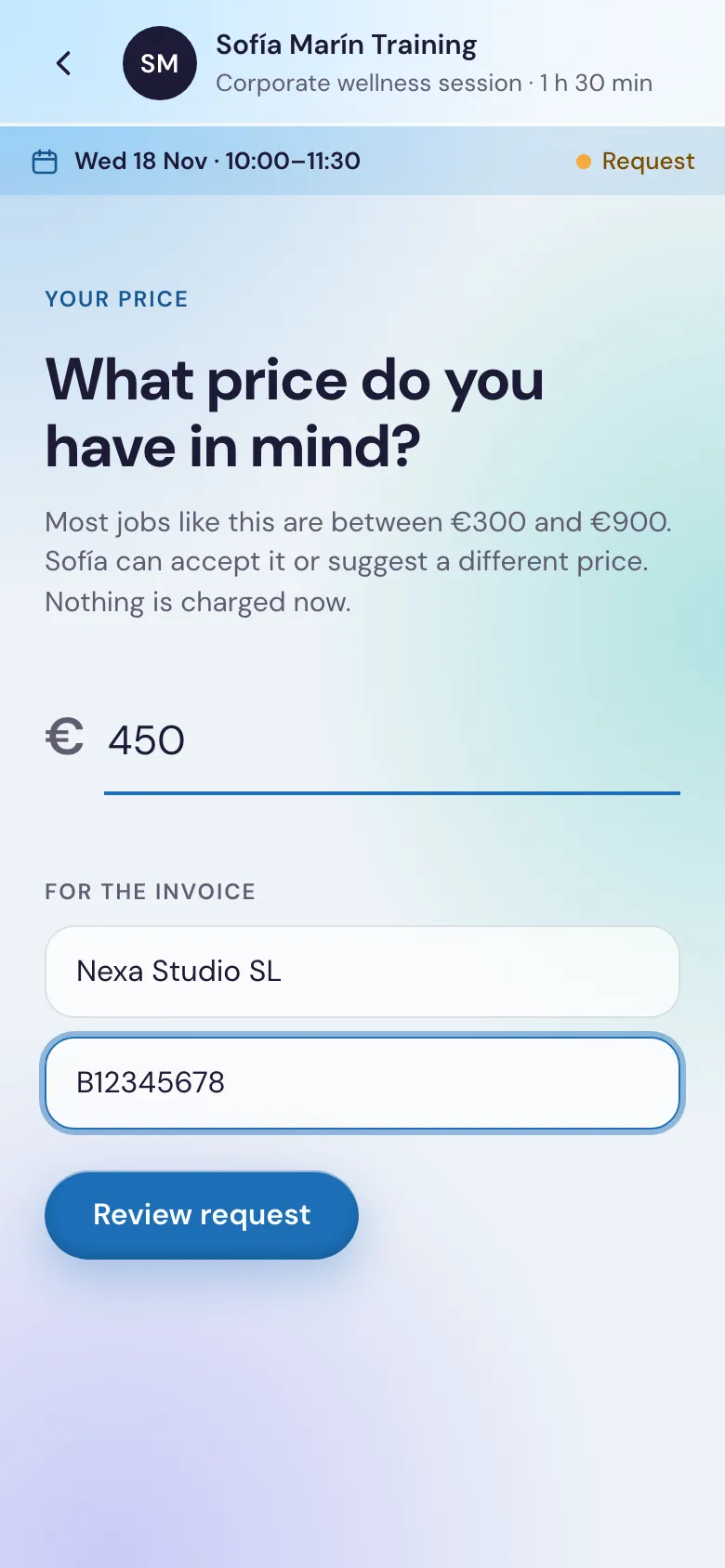
After choosing a time, and their address if you travel to them, clients enter their price and invoice details, then send the request:
Answering an offer
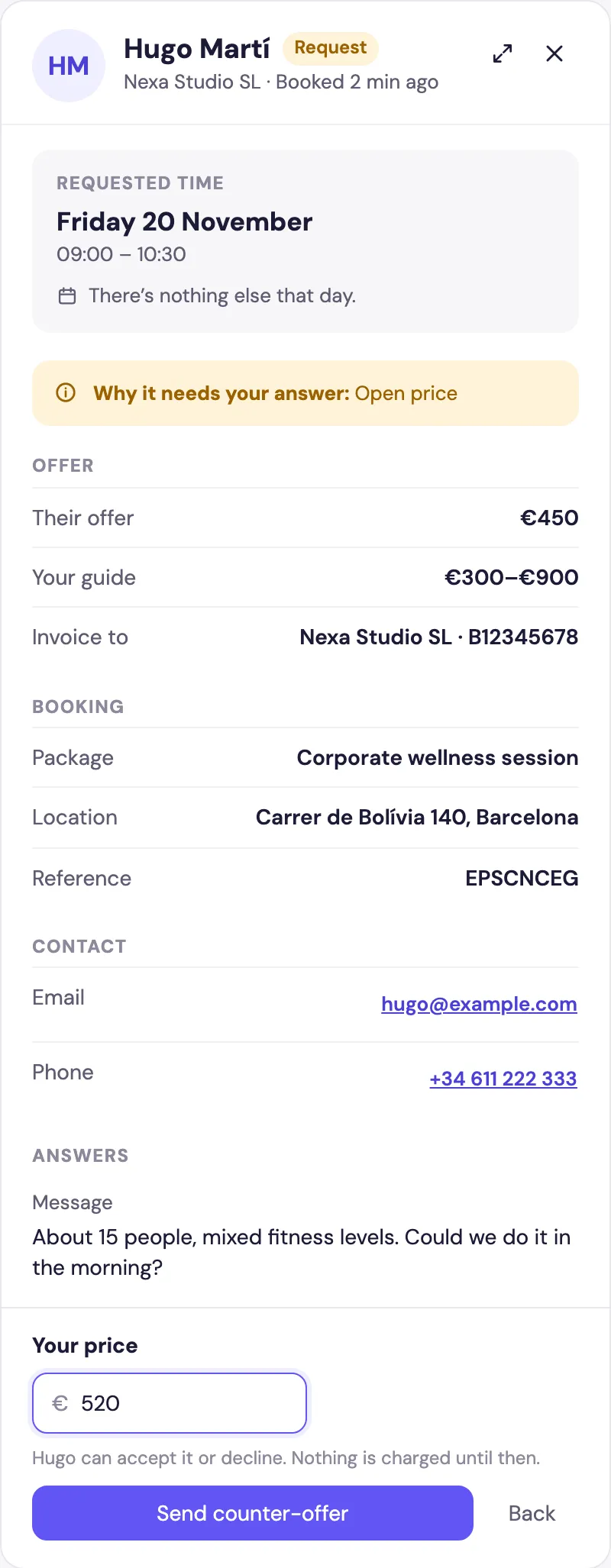
The request appears on Home and in Bookings › Requests. Its panel shows their offer next to your guide, and who to invoice.
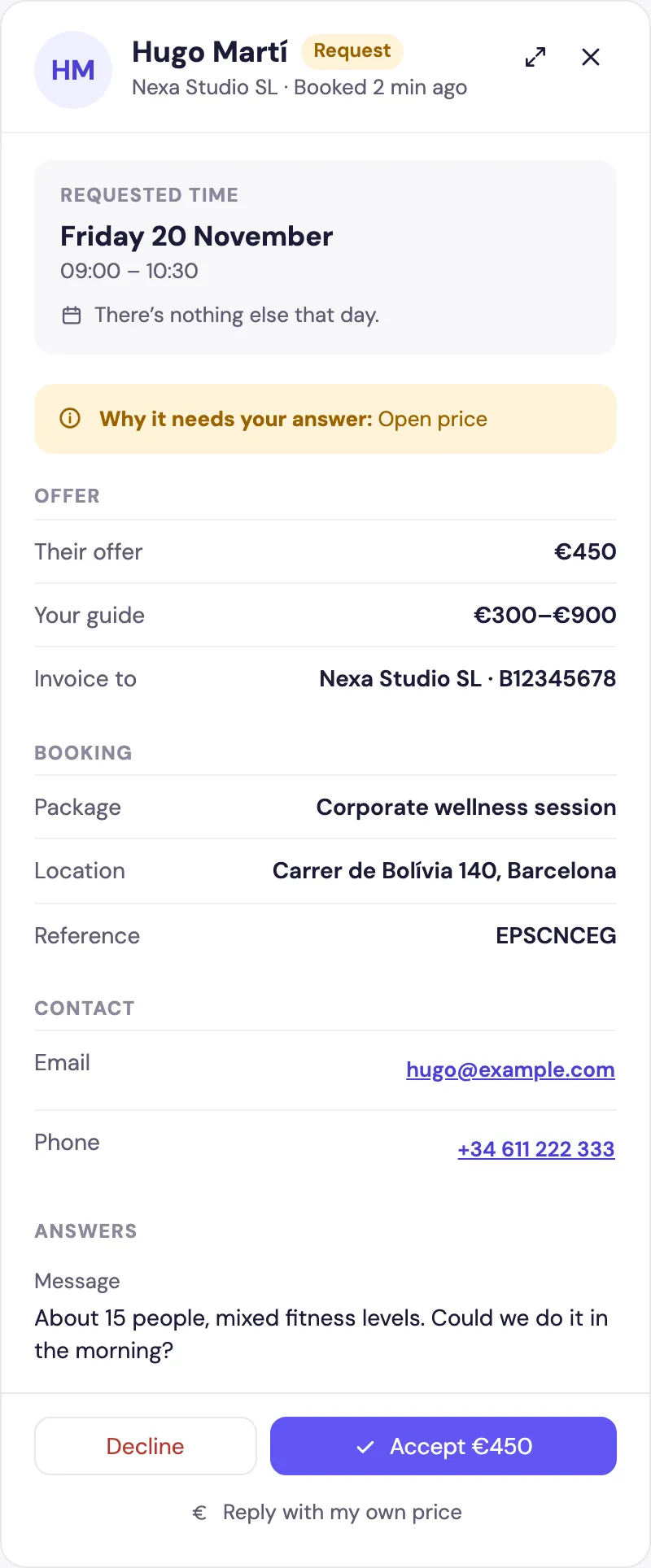
- Accept the offer as it is.
- Decline it, with a message.
- Reply with my own price: enter Your price and click Send counter-offer. The client gets an email to accept or decline it. Nothing is charged until they accept.
Frequently asked questions
No. Every Open price booking is a request. Nothing is charged until you accept it, or until the client accepts your counter-offer.
No, Open price packages are a Pro feature.