
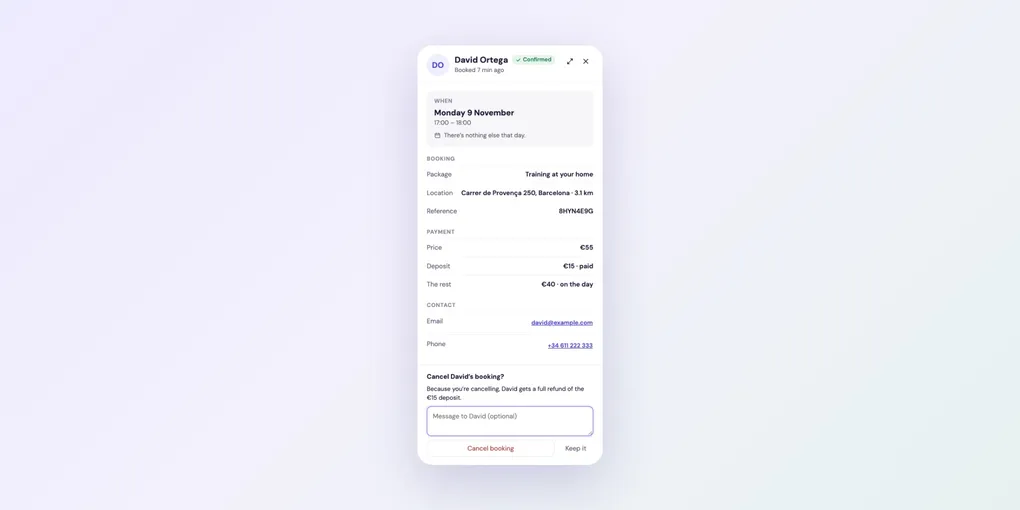
How to Reschedule, Cancel or Mark a Booking as Paid
All your confirmed bookings are in Bookings, split into Upcoming, Past and Cancelled. Search by client, email or package, or filter by package.
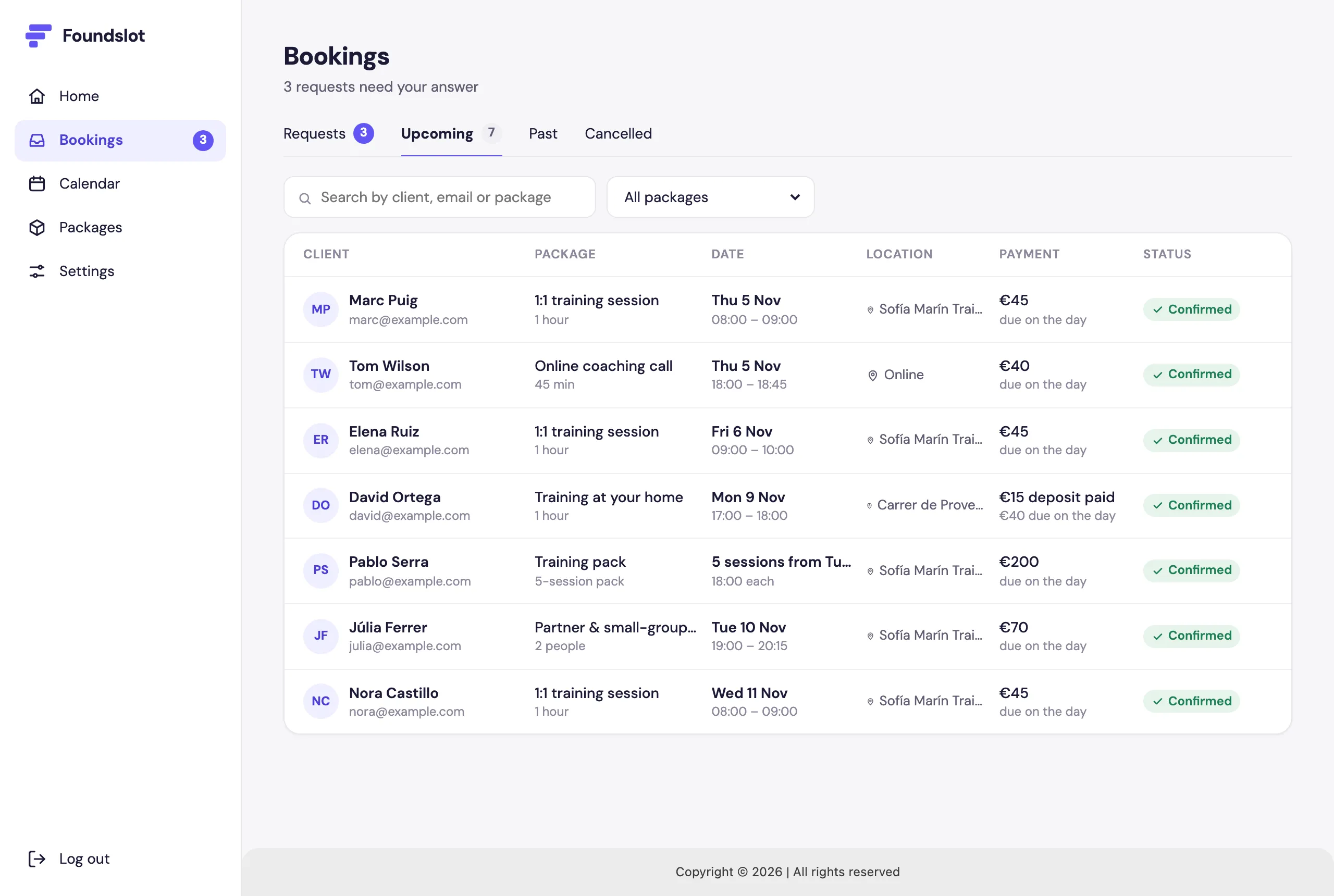
Click a booking to open its panel, with everything about it and the actions below.
Move a booking
Click Reschedule, choose the new date and time, and click Move booking. The client gets an email with the new time.
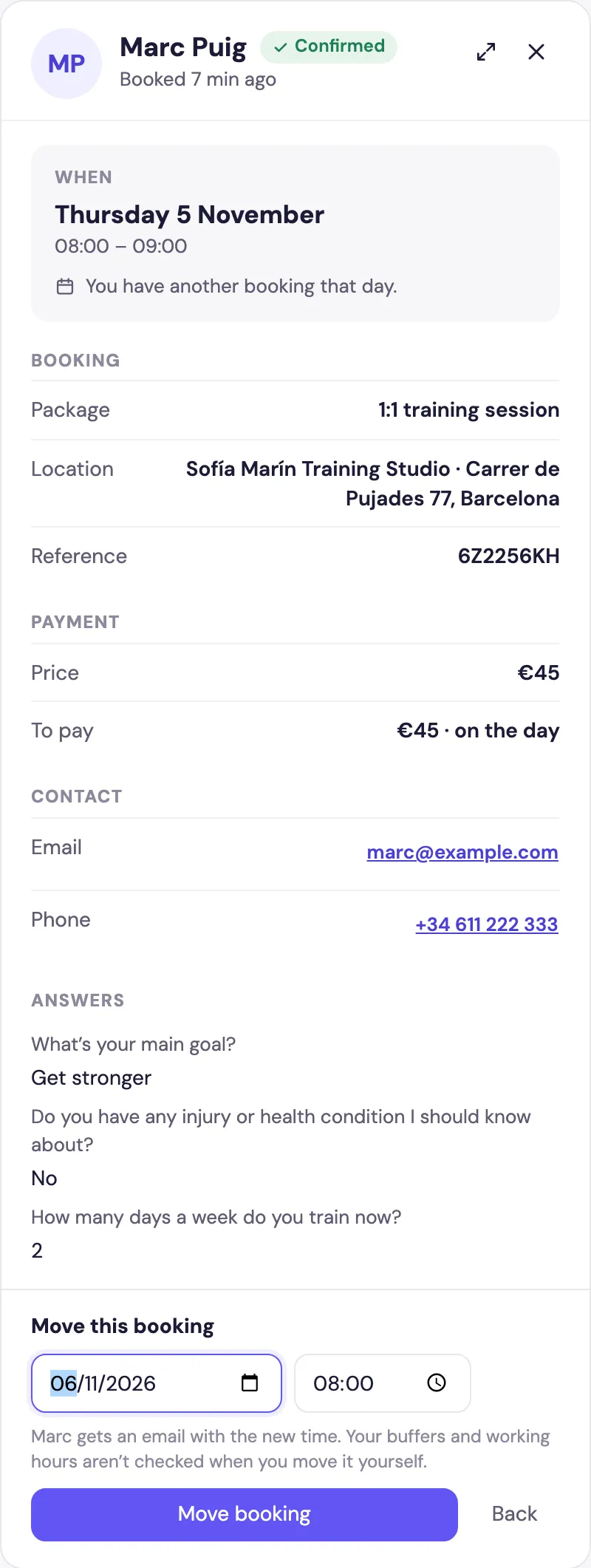
When you move a booking yourself, Foundslot doesn’t check your buffers or working hours, so you can make exceptions. If the new time clashes with another booking or your time off, you’ll see it first and need to confirm.
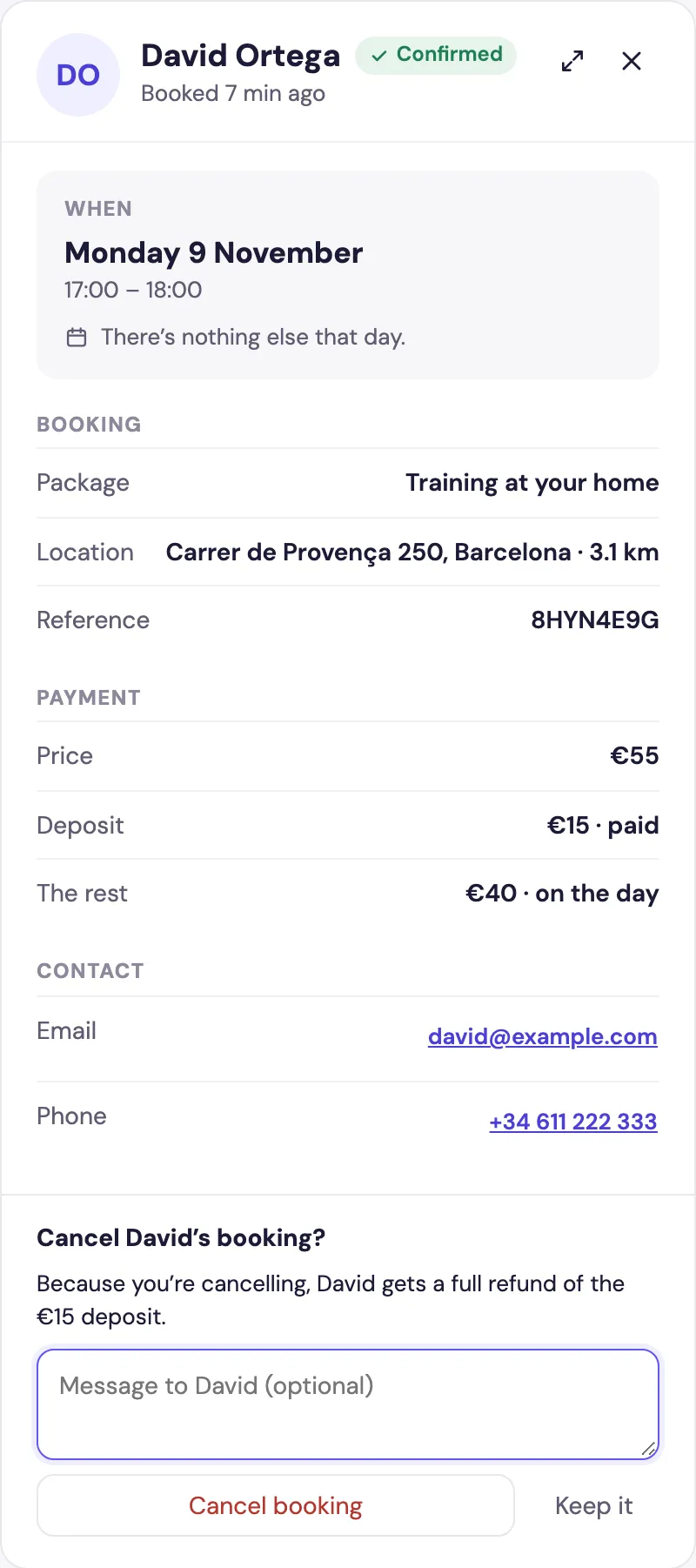
Cancel a booking
Click Cancel booking, add an optional message for the client, and confirm. Because you’re cancelling, the client gets a full refund of anything they paid by card.
Mark the rest as paid
When a client pays you at the session (cash, card or transfer), open the booking and click Mark the rest as paid. In Past, bookings still waiting for payment show Rest due.
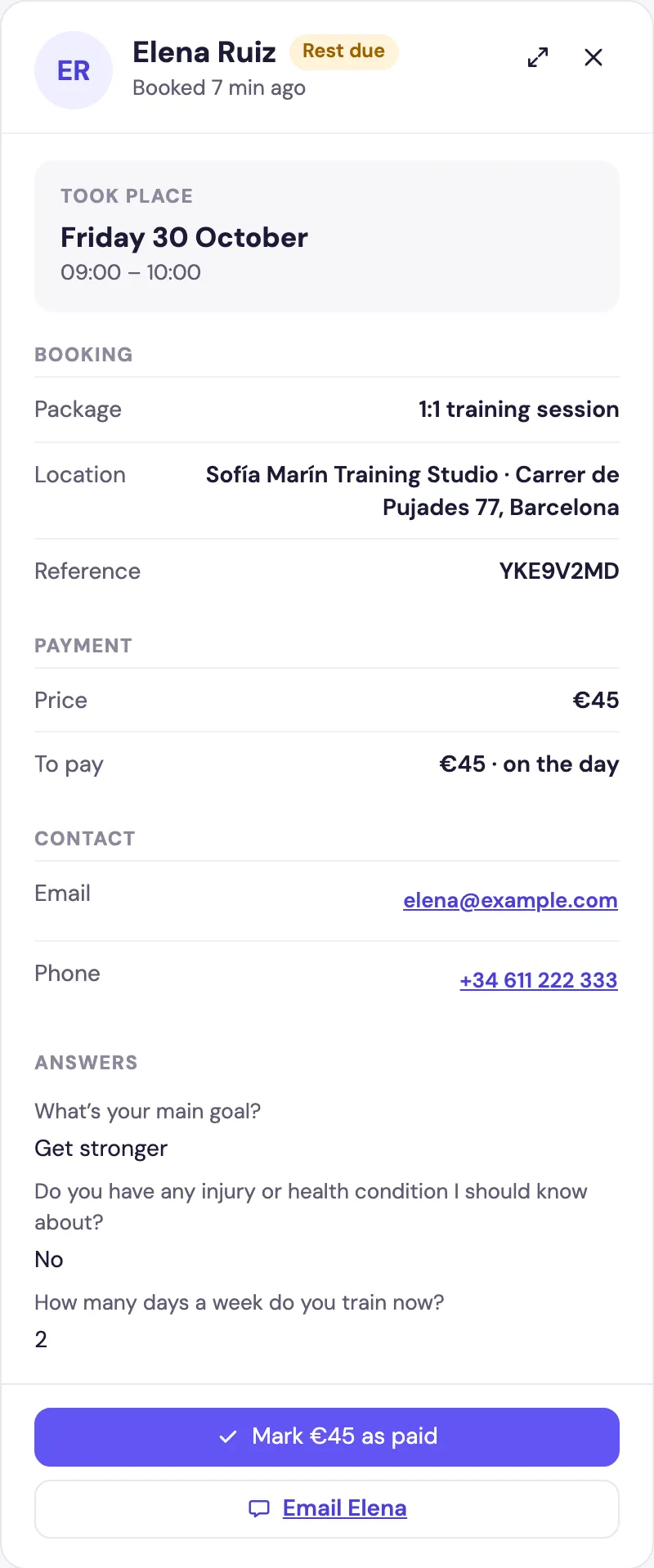
Payments you mark count in Earnings on Home, along with card payments.