How to Sell Packs of Sessions in Foundslot
A pack lets clients buy several sessions at once, such as 5 or 10 training sessions, usually at a better price. Every session appears in your calendar like any other booking. Packs are a Pro feature.
Step 1: Choose a pack
Create a package (see how to create a package) and, in the Sessions card at the bottom of Details, choose A pack of sessions.
Step 2: Set the sizes and prices
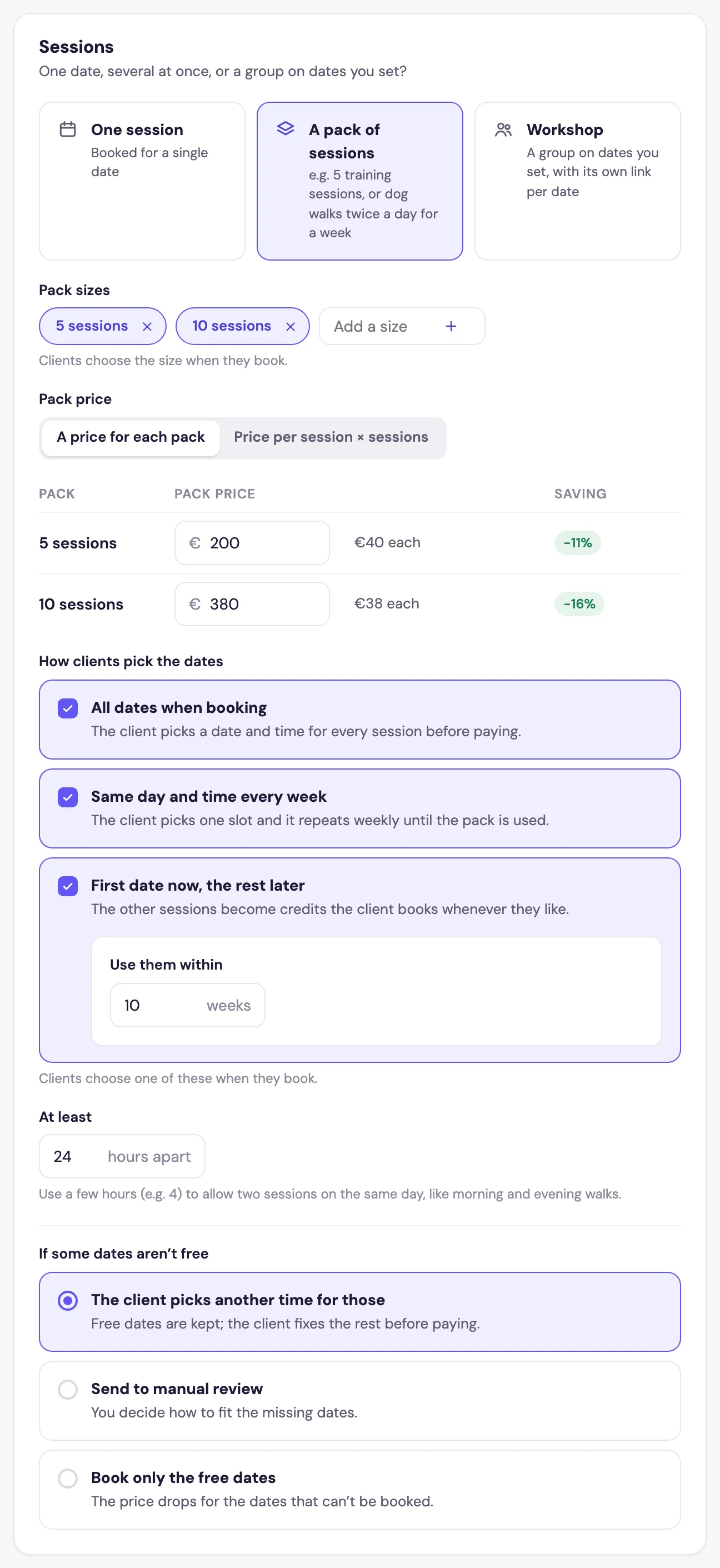
- Pack sizes: add the sizes you sell, for example 5 and 10 sessions. Clients choose one when they book.
- Pack price: choose A price for each pack (you set each total, and Foundslot shows the price per session and the saving) or Price per session × sessions.
Step 3: Choose how clients pick their dates
Tick one or more options under How clients pick the dates. If you tick several, clients choose.
- All dates when booking: the client picks a date and time for every session before paying.
- Same day and time every week: the client picks one slot, and it repeats weekly until the pack is used.
- First date now, the rest later: the client books the first session now. The others become credits they book whenever they like, within the number of weeks you set in Use them within.
At least … hours apart sets the minimum gap between two sessions of the same pack. Use a few hours (for example 4) to allow two sessions on the same day.
Step 4: Decide what happens when a date isn’t free
When a client picks several dates at once, some may be taken. Under If some dates aren’t free:
- The client picks another time for those: free dates are kept, and the client fixes the rest before paying.
- Send to manual review: the pack becomes a request, and you decide how to fit in the missing dates.
- Book only the free dates: the price drops for the dates that can’t be booked.
Step 5: Set the pack’s policy
In the Policies tab, the usual rules apply to each session. For packs, clients can move a single date to another time within your rescheduling rule, and cancelling cancels every session still to come.
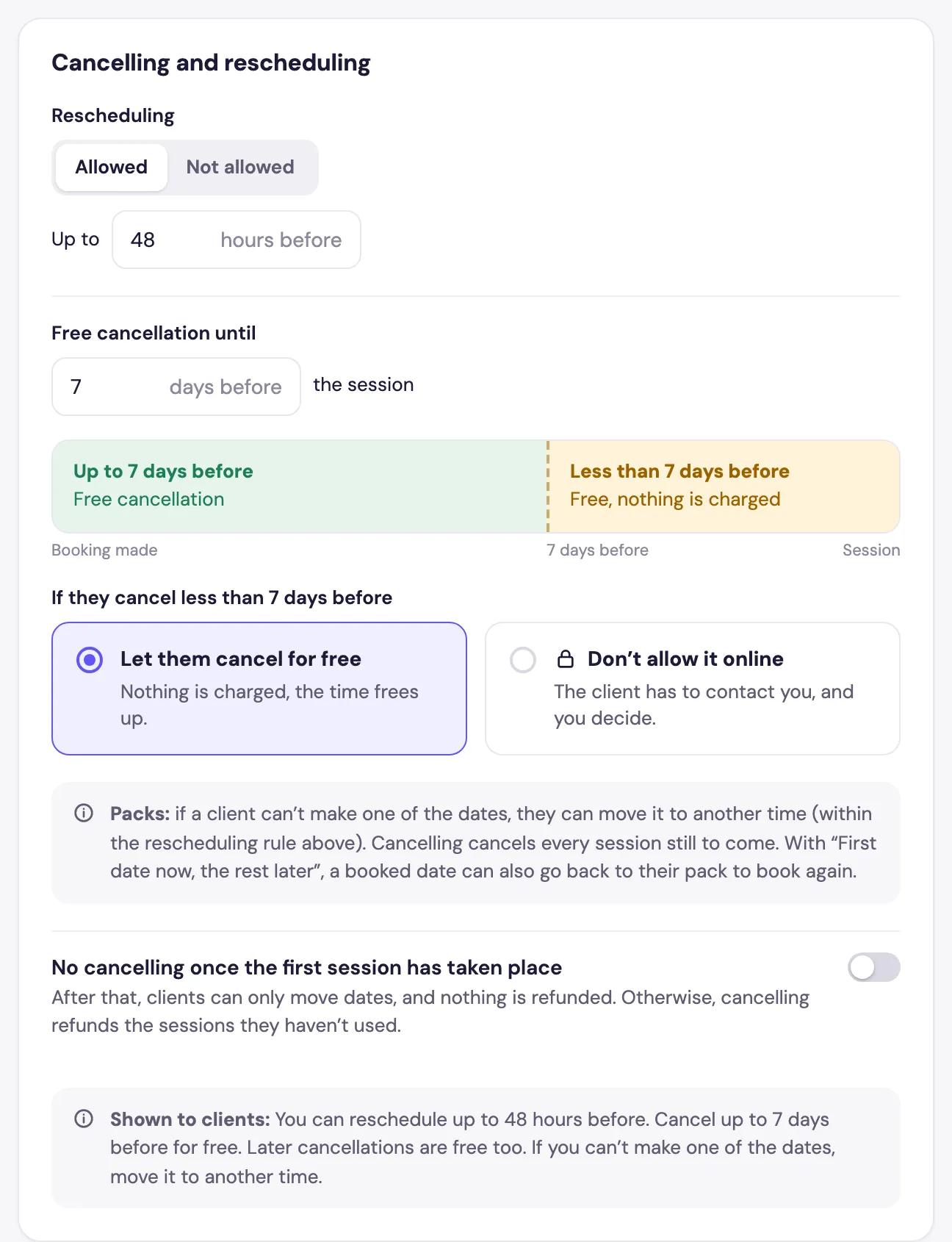
Turn on No cancelling once the first session has taken place if you don’t want refunds after the pack has started.
What your clients see
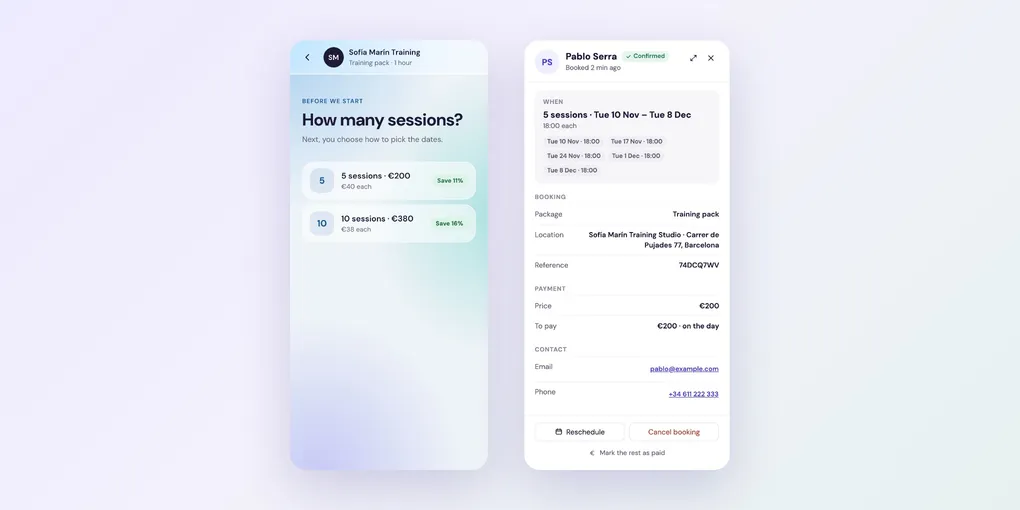
Clients choose a pack size, then how to pick their dates:
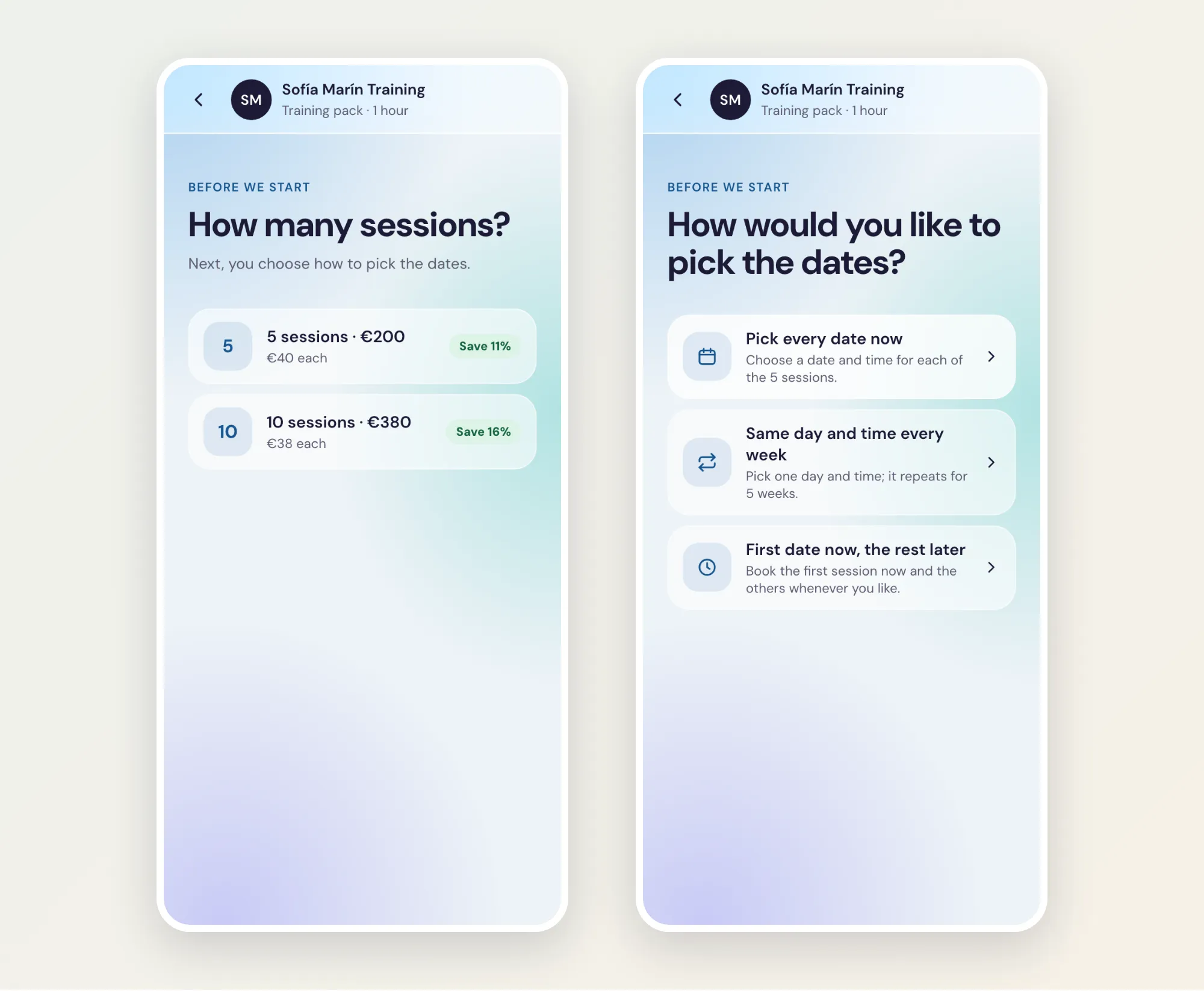
After booking, their confirmation email links to a private pack page with every session and how many are left.
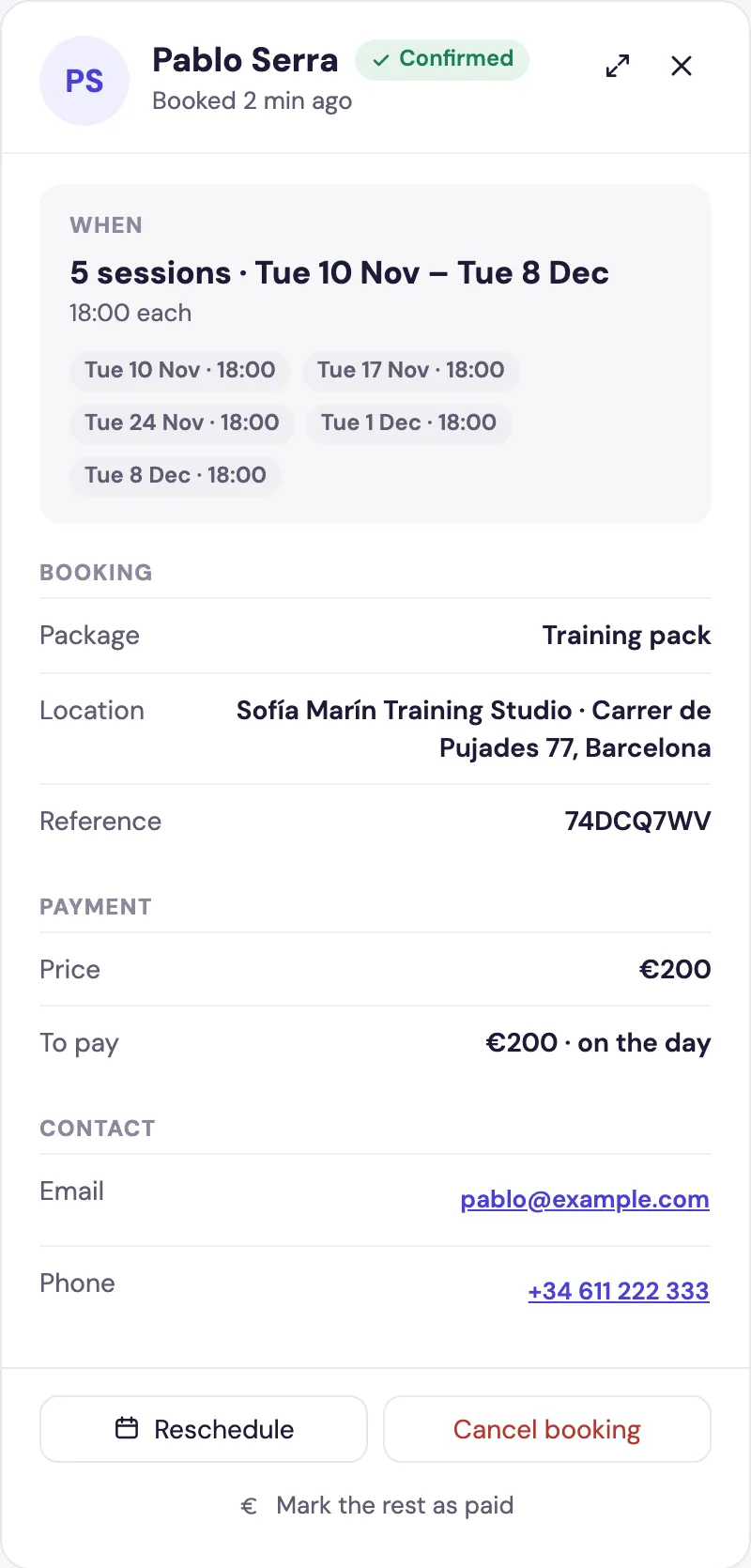
In Bookings, the whole pack is one row, and its panel lists every session: