
How to Set Your Working Hours in Foundslot
Your working hours decide when clients can book you. Foundslot only offers times inside them, and keeps the buffers you need between bookings.
Set your weekly hours
Go to Settings › Working hours.
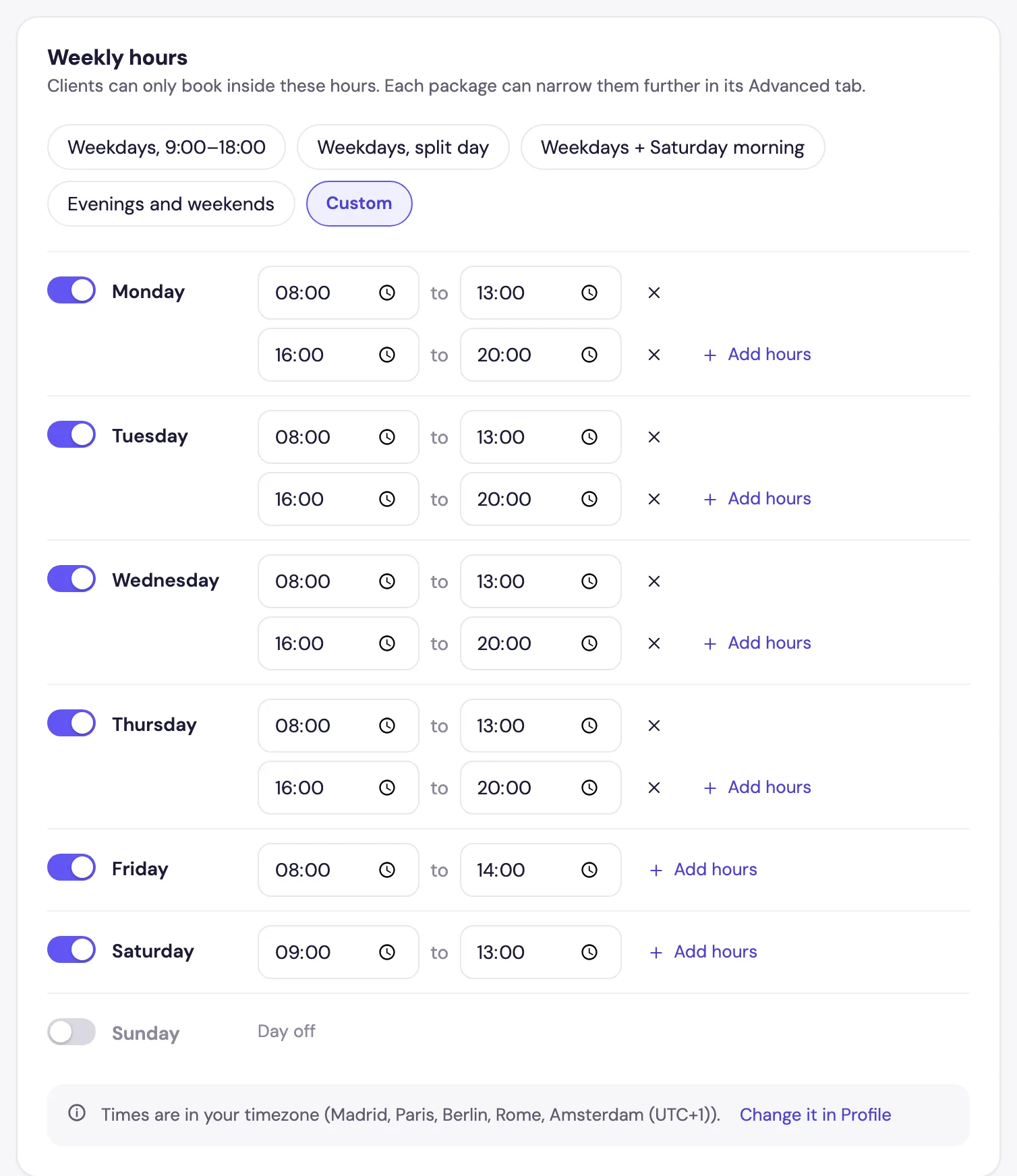
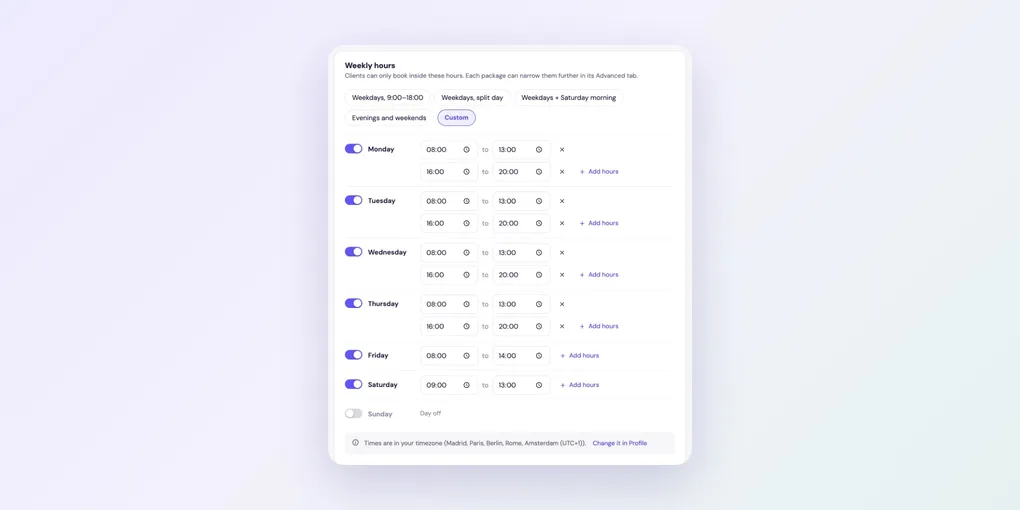
- Start from a preset at the top (Weekdays, 9:00–18:00, Weekdays, split day, Weekdays + Saturday morning or Evenings and weekends), or choose Custom.
- Use the switch next to each day to turn it on or off. A day that’s off shows as Day off.
- Change the start and end times of any day.
- Click Add hours to add another stretch to a day, for example 8:00–13:00 and 16:00–20:00 with a break in between. A day can have up to four stretches. The ✕ removes one.
Changes save automatically. Times are in your timezone, which you can change in Settings › Profile.
Give a package its own hours
Some services only make sense at certain times, such as outdoor sessions on weekday evenings. Open the package, go to the Advanced tab and, under When this package is available, choose Only on specific days and times. Then set the days and hours for that package.
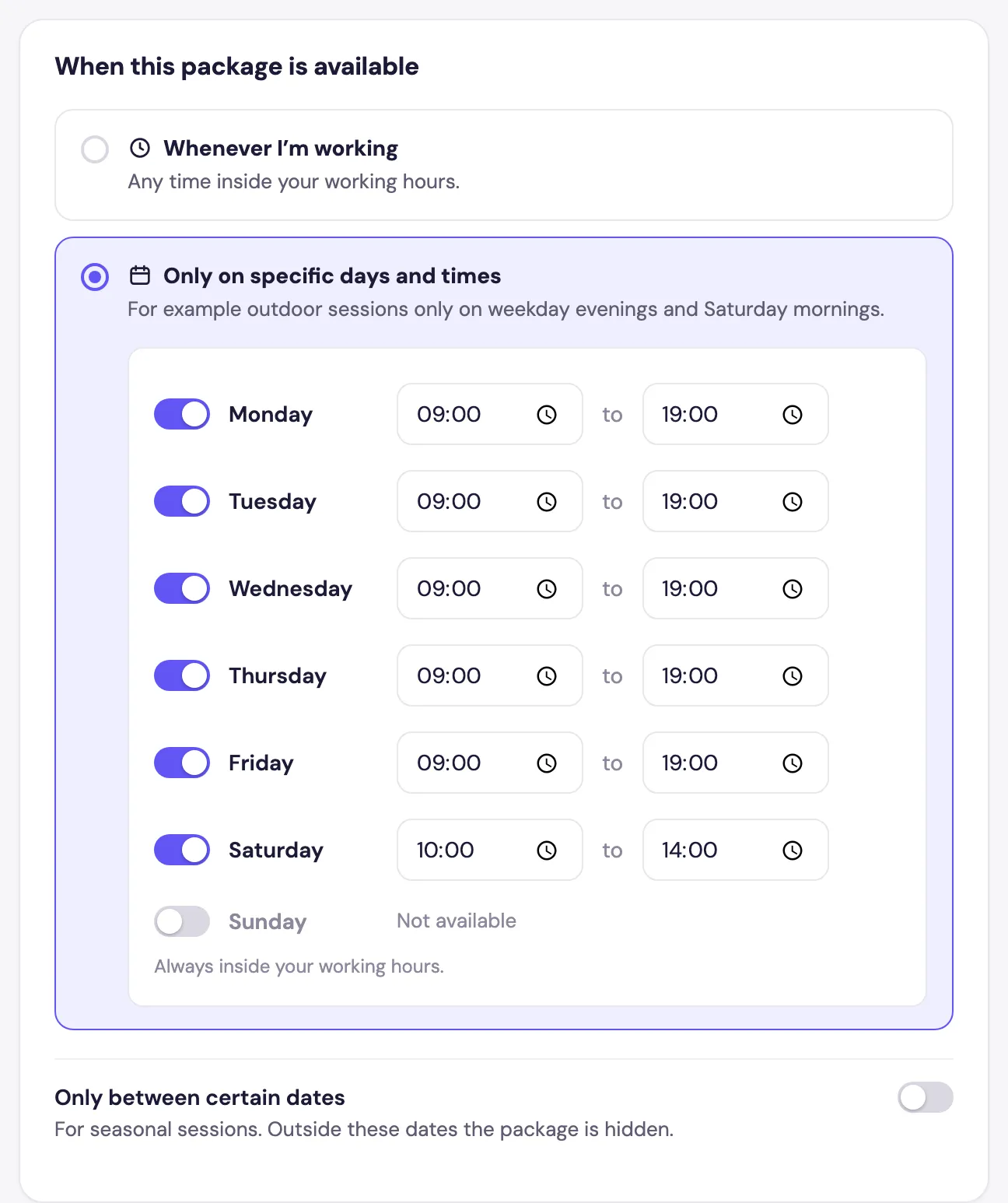
These hours always stay inside your working hours. To offer a package only for part of the year, turn on Only between certain dates: outside those dates it’s hidden from your booking page.
Days off and holidays
To block a single afternoon or a whole week, don’t change your working hours. Add it as Time off in your Calendar instead. See how to block time off.