How to Set Where Your Sessions Happen
Every package has one kind of place: your studio, the client’s address, or online. You set it in the package editor’s Location tab. To offer the same service in two places, duplicate the package and change the location of the copy.
At your place
Choose Location defined by me. Foundslot uses your studio address from Settings › Profile. To use another place for this package, click Use a different location for this package.
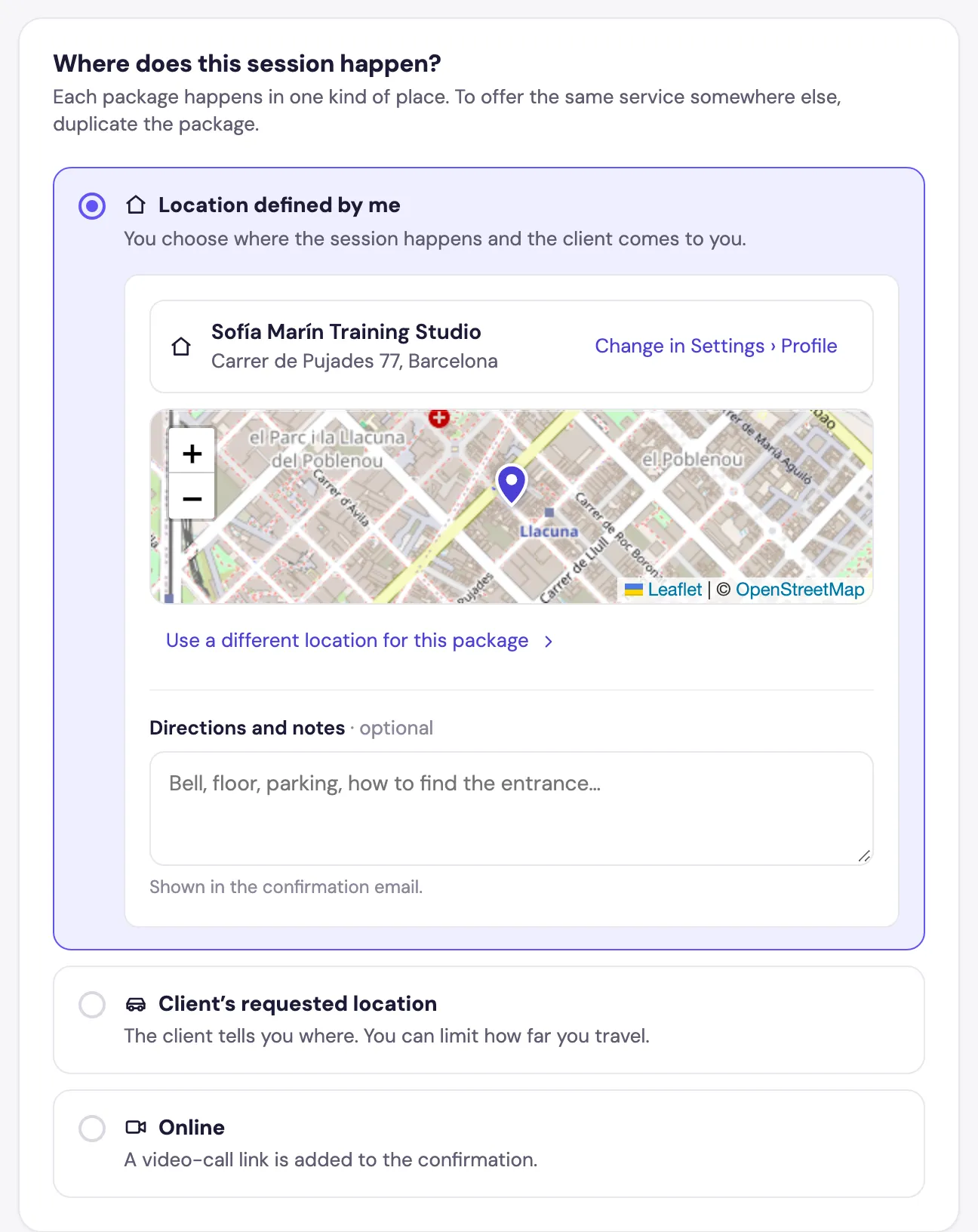
Add Directions and notes (floor, buzzer, parking): they’re included in the confirmation email.
At the client’s address
Choose Client’s requested location. Clients enter their address when they book.
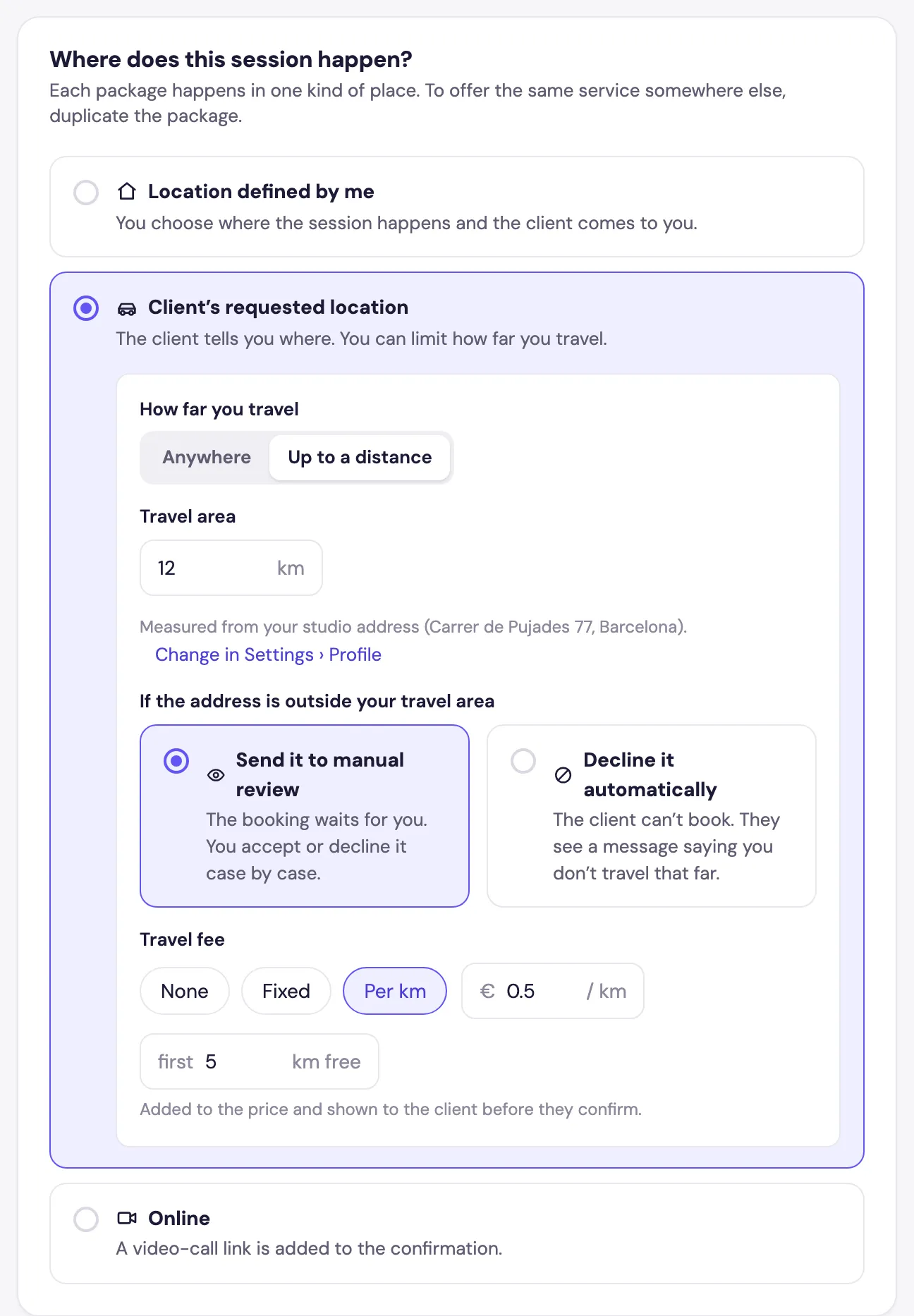
- How far you travel: Anywhere, or Up to a distance, with a Travel area in km measured from your studio.
- If the address is outside your travel area: Send it to manual review (you decide case by case) or Decline it automatically (the client sees that you don’t travel that far).
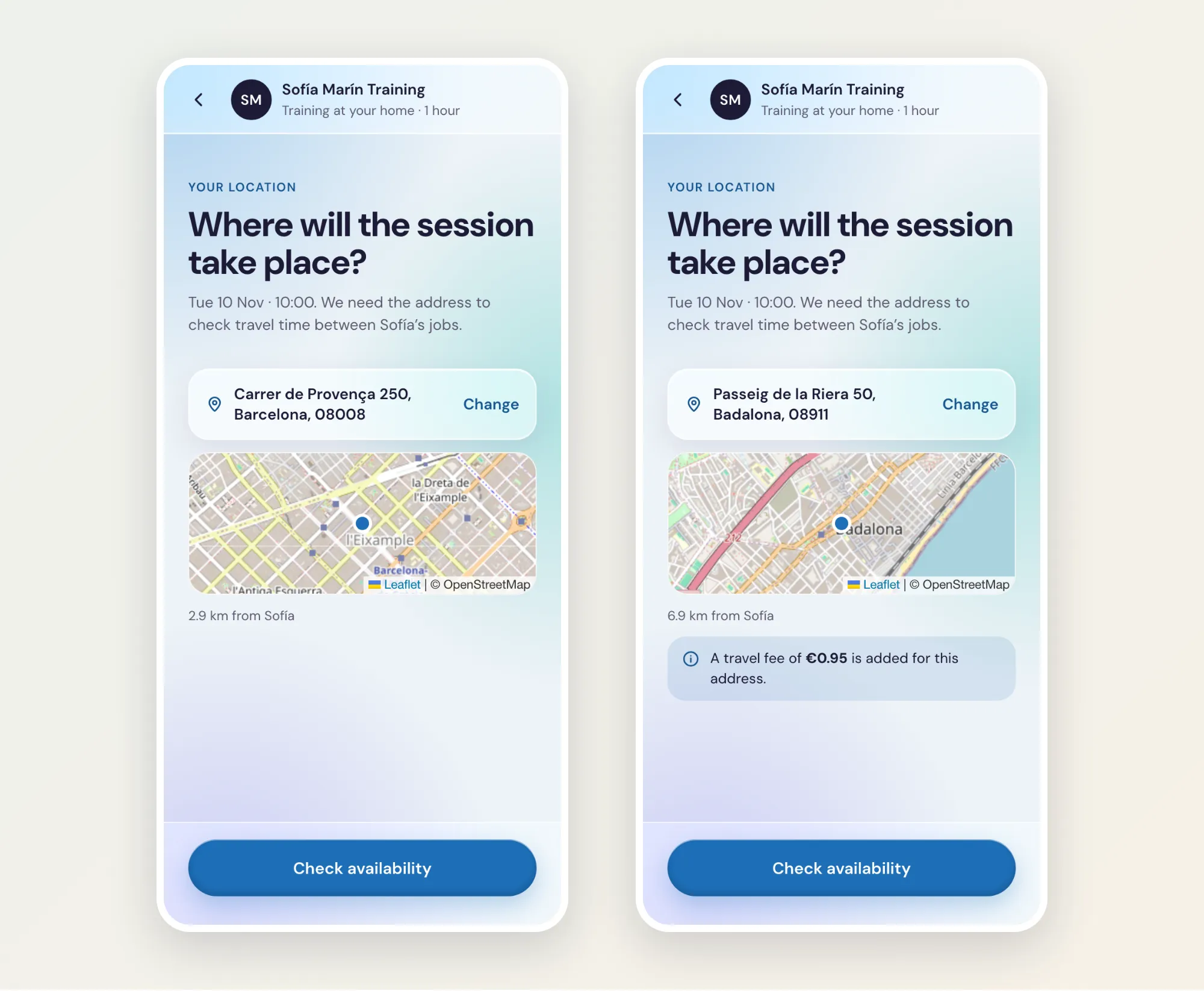
- Travel fee: None, Fixed, or Per km, with a number of km free. The fee is added to the price and shown to the client before they confirm.
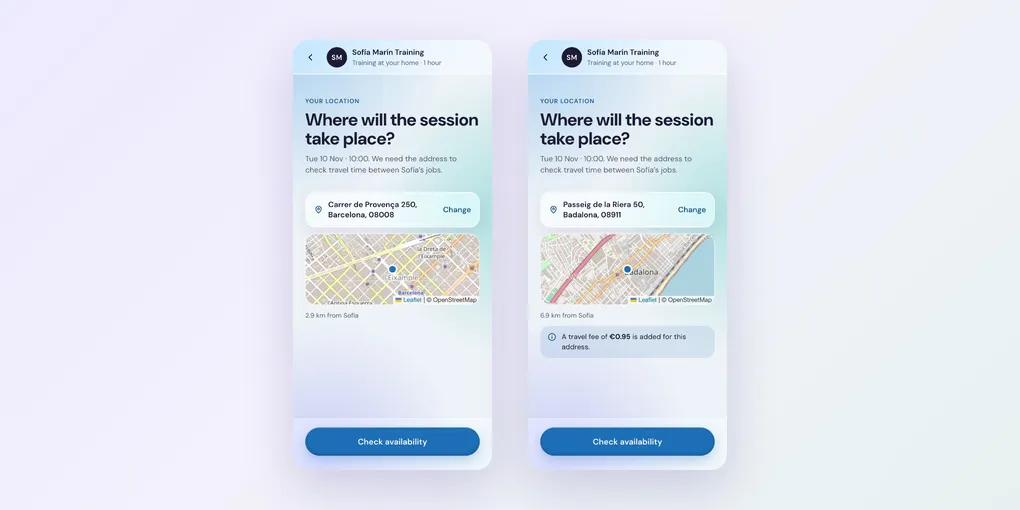
Clients see the distance on a map, and the travel fee or a note when the address is outside your area:
Online
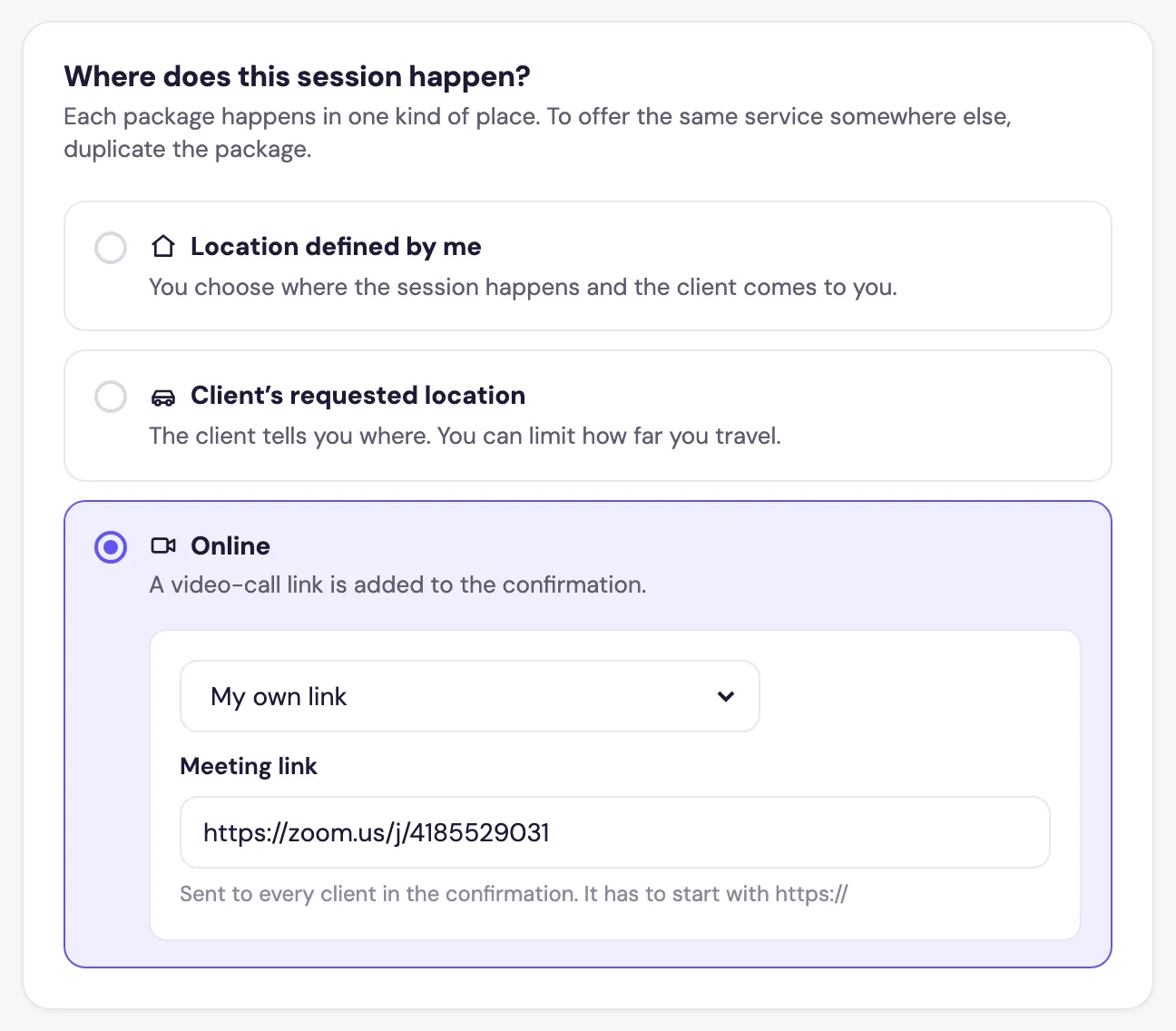
Choose Online, and a video-call link is added to the confirmation:
- Google Meet · created automatically: each booking gets its own Meet link. This needs Google connected.
- My own link: paste your Zoom, Teams or Whereby room in Meeting link. It’s sent to every client.