
How to Set Your Cancellation and Rescheduling Policy
A clear policy cuts last-minute cancellations and saves you awkward conversations. In Foundslot, each package has its own policy. Clients accept it when they book, and Foundslot applies it when they move or cancel.
Set the policy
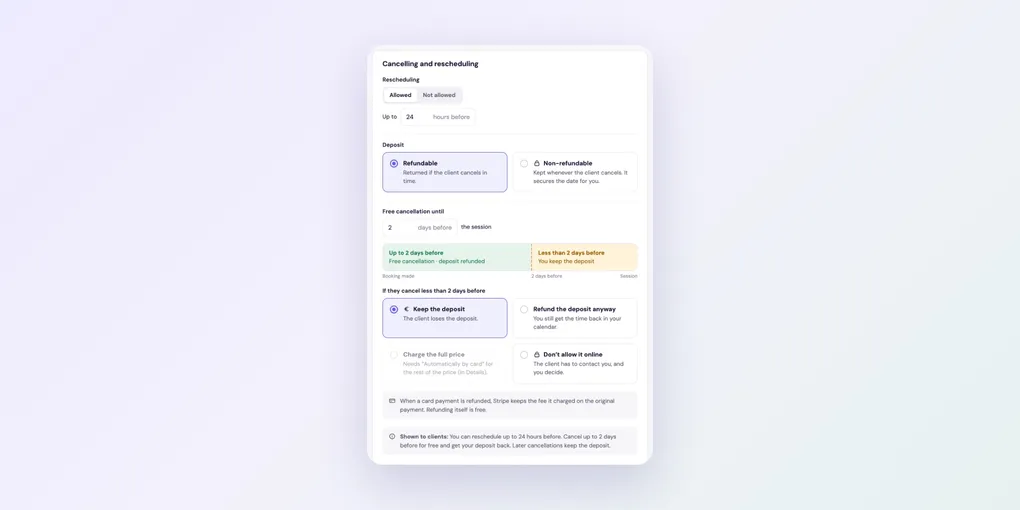
Open the package and go to the Policies tab. Under Cancelling and rescheduling:
- Rescheduling: Allowed or Not allowed, and up to how many hours before the session.
- Free cancellation until: how many days before the session clients can cancel for free. The timeline shows what applies when.
- If they cancel later than that: what happens after the free period.
If the package takes a deposit, the options for late cancellations are:
- Keep the deposit
- Refund the deposit anyway
- Charge the full price (needs Automatically by card for the rest of the price)
- Don’t allow it online: the client has to contact you, and you decide.
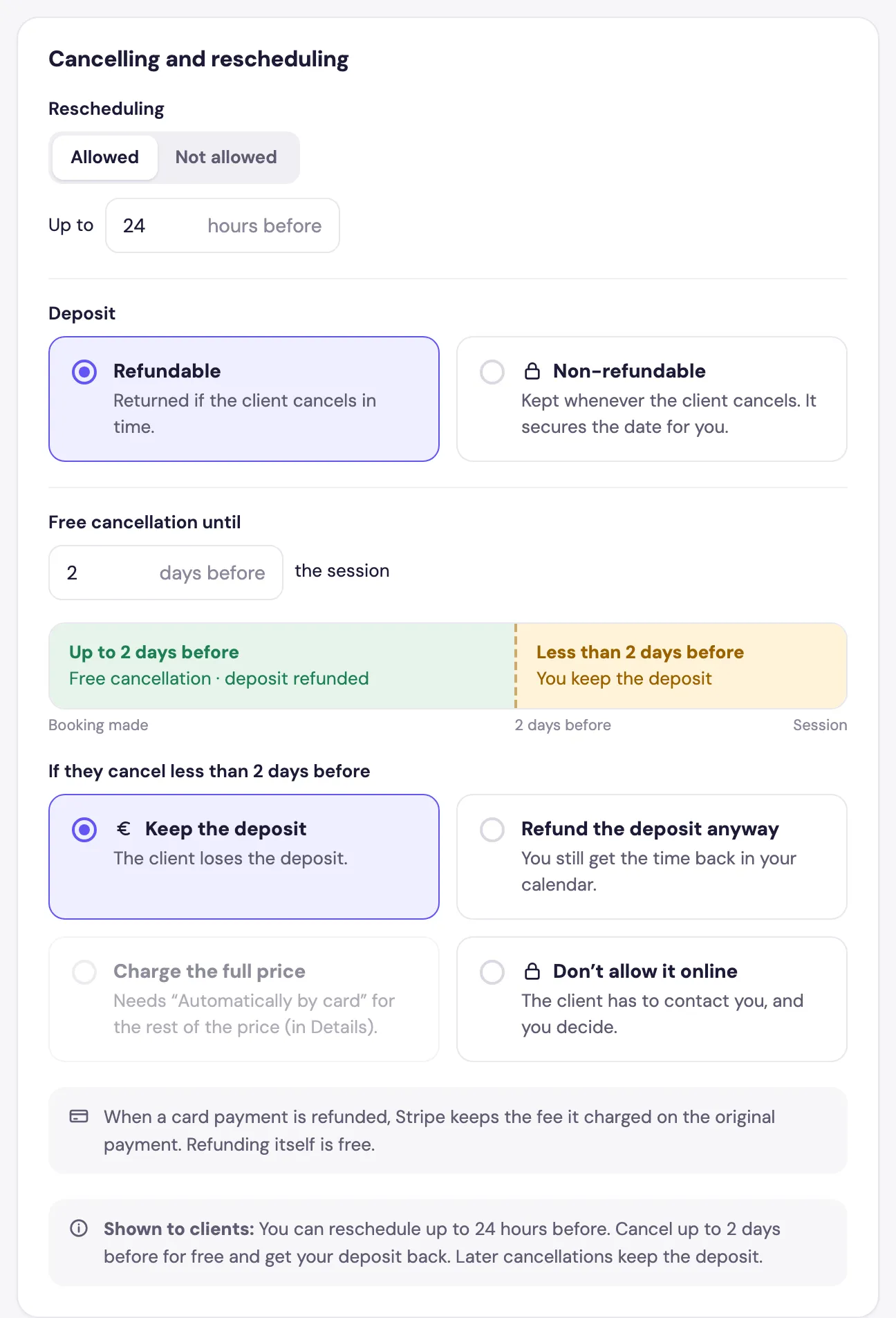
Without a deposit, you choose between Let them cancel for free and Don’t allow it online.
At the bottom, Shown to clients is the exact sentence clients read and accept.
What your clients see
The confirmation email links to a page where clients can manage their booking. They can move it to any free time or cancel it, within your policy (left). Past your limits, they’re asked to contact you (right).
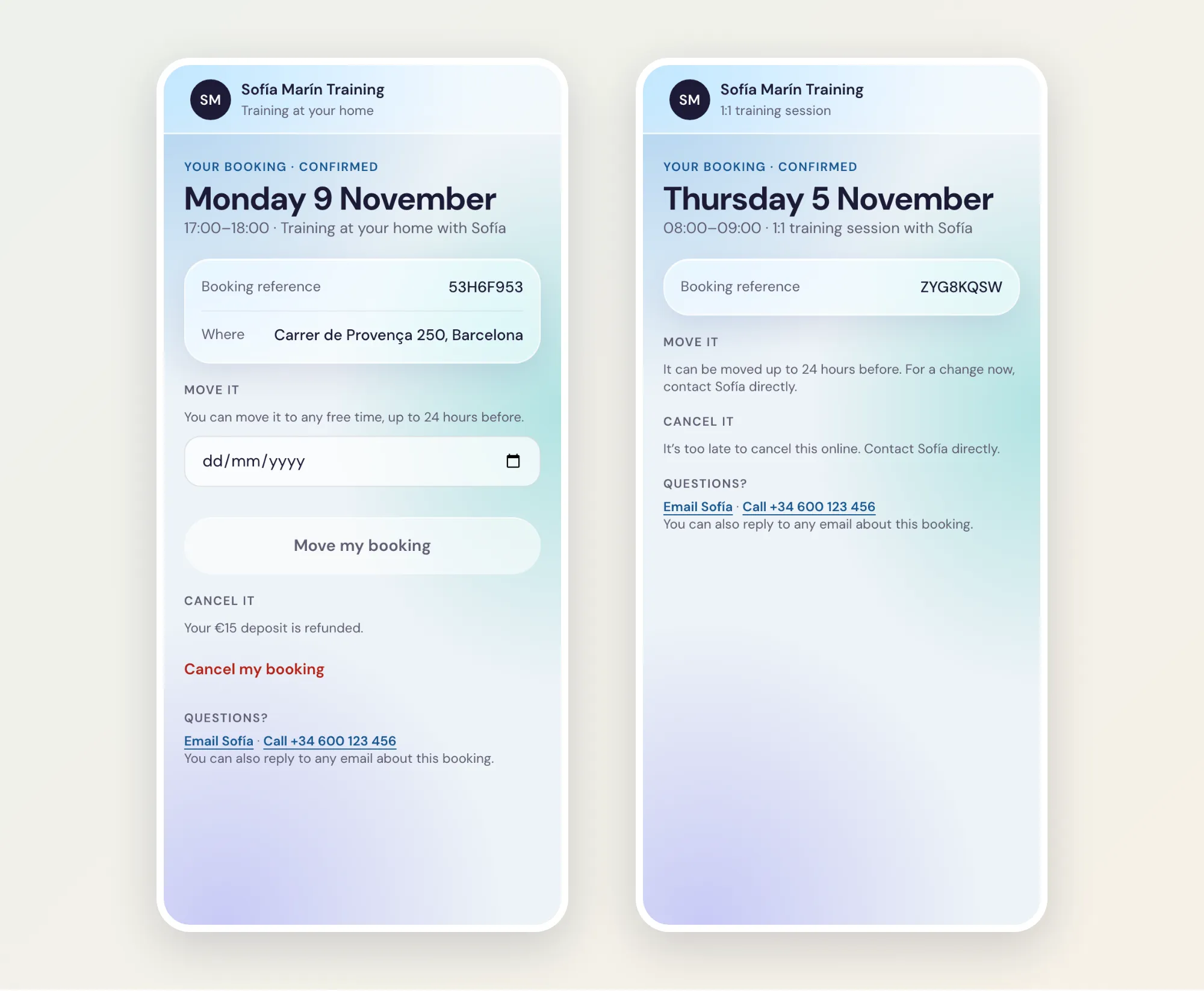
You and the client both get an email whenever a booking is moved or cancelled.
Related settings
In the same tab, Timing rules controls how late and how far ahead clients can book. See how to control when clients can book. For packs, see the extra options in how to sell packs of sessions.